How to Send WhatsApp Reminder Messages Using WhatsApp Business API
Published on: June 27, 2026
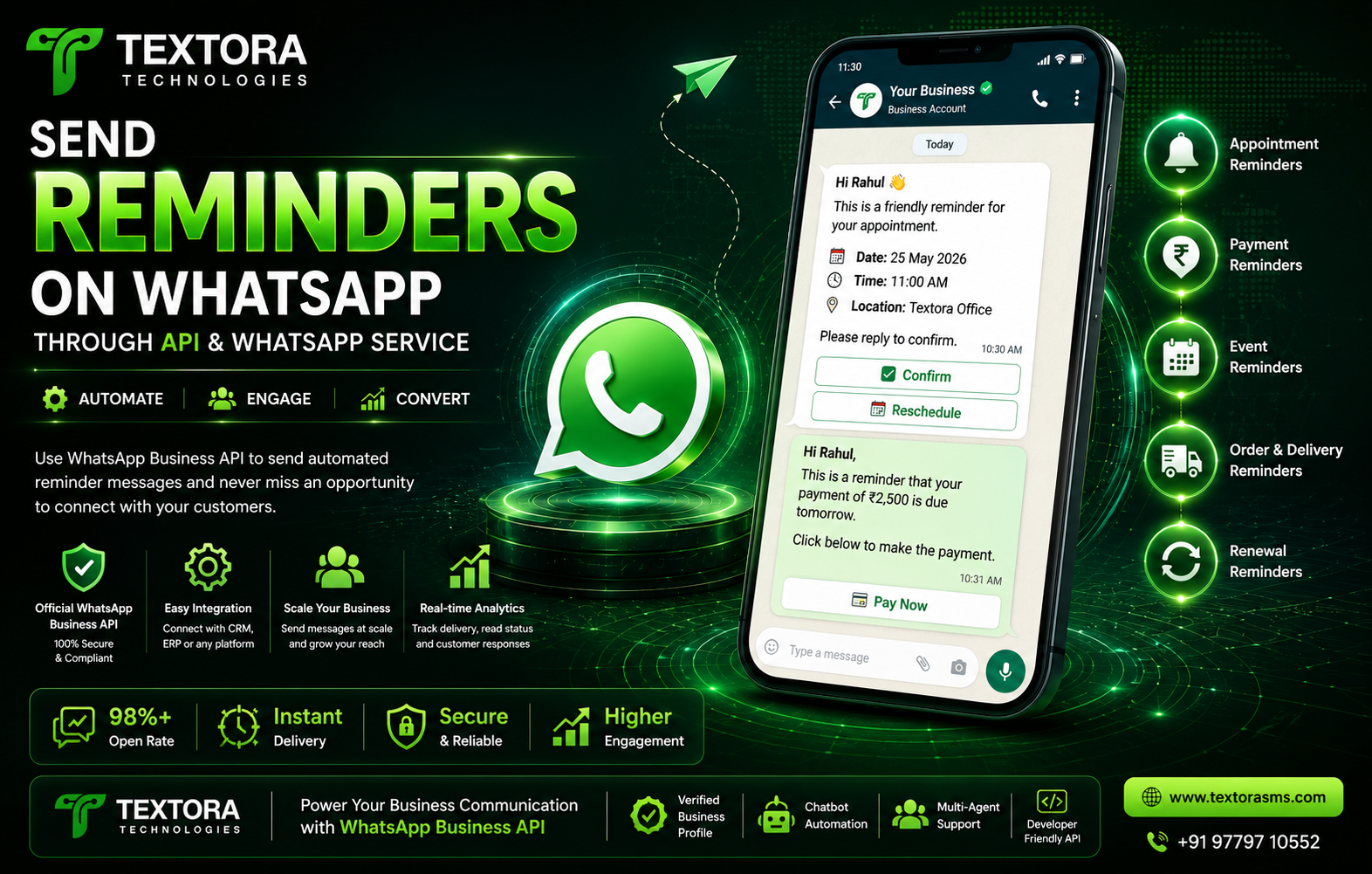
The Ultimate Guide for Businesses in 2026
Today’s fast-paced digital world means customers expect businesses to communicate in a timely fashion. Whether it's for an appointment reminder, payment due notification, order pickup alert, event reminder, or subscription renewal, sending reminders at the right time greatly boosts customer engagement and decreases missed actions.
Emails often go unread, SMSs can sometimes be ignored, but the open and response rates for WhatsApp Reminder Messages are much higher. The WhatsApp Business API enables businesses to automate reminders, personalise communication and improve customer experience at scale.
Here's everything you need to know about sending WhatsApp reminders with the WhatsApp Business API.
A reminder on WhatsApp is what?
WhatsApp reminders are automated messages sent to customers via the WhatsApp Business API to remind them of an upcoming event, appointment, payment, booking or action.
Such reminders help businesses stay connected with customers and reduce the need for manual follow-ups.
For example:
Appointment reminders.
Payment Due Reminder
EMI notices
Pickup reminders
Delivery reminders
Event alerts
Reminders for webinars
Subscription renewal notices
Service recalls.
Course reminders.
Why Use WhatsApp for Reminder Messages?
WhatsApp has grown to be one of the most trusted communication tools worldwide.
Businesses choose WhatsApp reminders because:
Higher Open Rates
WhatsApp messages usually get opened within minutes.
Improved Customer Engagement
Customers get a faster response than an SMS or email.
Support for Rich Media
Businesses can send: *
Pictures.
PDF invoices
Videos
Documents
Buttons
Product Catalogues
Maps by location
Automation (E.g.
No manual work required, you can automatically schedule reminder messages.
Two-Way Communication
Customers can respond immediately or ask questions in the same conversation.
What is WhatsApp Business API?
The WhatsApp Business API is for medium and large businesses who want to speak with customers at scale.
Unlike the regular WhatsApp Business App, the API allows businesses to:
Automate reminder
integrate with your CRM
Integrate ERP systems
Automation of customer service
Make notifications
Schedule campaigns
Handle many agents
Use AI chat bots
Categories of WhatsApp Reminder Messages
Businesses can automate a number of reminders like:
Reminder of appointment
Hey John,
Just a friendly reminder that your appointment with ABC Clinic is tomorrow at 10:30 a.m.
Please respond YES to confirm or RESCHEDULE if you wish to change your appointment.
Payment Notice
Hi Rahul,
Tomorrow your invoice of Rs 3,500 is due.
Click to complete your purchase.
Pay Now (1)
Subscription renewal alert
Hey Sarah,
Your Premium Membership will end in 3 days .
Renew now to continue to enjoy uninterrupted service.
Reminder: Event
Hi Amit,
We are thrilled to share the reminder that our Digital Marketing Webinar begins tomorrow at 5 PM.
See you there, guys!
Delivery Remind
Your package is scheduled for delivery today.
Track your order here.
Advantages of Automating WhatsApp Reminders
Automating reminders offers several business benefits.
Cut Down on No-Shows
Hospitals, salons and coaching institutes can reduce missed appointments significantly.
Faster Payments
Payment reminders help businesses get paid quicker on overdue dues.
Enhance Customer Satisfaction
Customers want timely notifications.
Save On Staff Time
Automation means no more manual follow-ups.
Growth in Sales
Reminder campaigns are intended to motivate customers to finish pending purchases.
What Is WhatsApp Reminder Automation?
It’s a simple process.
Step 1
Customer provides phone number.
↓
Step 2.
Information held in CRM / database.
↓
Step Three:
The reminder is sent via a scheduled workflow.
↓
4. Step
WhatsApp Business API sends approved template.
↓
Step 5.
Customer gets the reminder instantly.
↓
Step 6.
The customer responds, confirms, pays or reschedules.
Industries That Utilise WhatsApp Reminder Messages
Reminder automation is useful for most businesses.
Wellness
Doctor's appointments
Laboratory Tests
Immunisation reminders
Medication Refill Alerts
Education.
Reminders of fees
Exam Reminders -
Class Times
Webinar Invitation
Financial
EMI notices
Loan reminders
Credit card payment reminders
Shopping on line
Abandoned Cart Reminder
Shipment status
Pickup reminders
Property and Real Estate
Site visit reminder
Document Submission Notice
Meeting timetables
Holiday
Flight Alerts
How to Check Into a Hotel
Tour confirmations
Car
Vehicle service messages
Insurance Renewals
Warranty expiration
Best practice WhatsApp reminder messages
Use short and clear messages.
Use customer names for personalization.
Reminders at the proper time.
Include prominent call to action buttons.
Do not send excessive reminders.
Use only approved WhatsApp Templates.
Respect customers’ privacy and consent.
Sample reminder templates for WhatsApp
Reminder of appointment
Hello {{1}}.
This is a reminder that you have an appointment on {{2}} at {{3}}.
Answer:
✅ Verify
🔄 Change date
Payment Notice
Dear {{1}}:
Your payment of ₹{{2}} is to be made on {{3}}.
Secure Payment Click below.
Pay Now (1)
Subscription Reminder
Hello {{1}},
Your subscription is expiring on {{2}}.
Renew now to continue to enjoy uninterrupted service.
Subscribe today
Reminder messages can be automated.
Yes.
Automate reminders by:
Integrate with CRM
ERP Software
googlesheets
Reservation systems.
Management Software for Hospitals
ERP for education
Payment processor
Custom API’s
Automation makes sure reminders are sent at the right time.
Why Textora Technologies?
Textora Technologies (TextoraSMS) provides the WhatsApp Business API to enable businesses to automate customer communication.
We offer:
Whatsapp Business API Service
Automated Reminder SMS
Integration of AI Chatbot
Integrate with CRM
Broadcast on WhatsApp
Auto Payment Reminders
Solutions for appointment reminders
Marketing Campaign
WhatsApp Mass Messaging
Click to WhatsApp Ads Integration
Dashboard Analytics
Multi-Agent Mailbox
If you’re a startup, healthcare provider, educational institution, e-commerce brand, or enterprise, we have scalable WhatsApp solutions that are designed for your business.
Frequently asked questions FAQs
Is it possible to schedule WhatsApp notifications?
Yes. With the WhatsApp Business API, businesses can send scheduled and automated reminder messages based on customer activity or specific dates.
Customer consent?
Yes. Businesses should ask customers to opt-in before sending WhatsApp notifications or reminders.
Can reminders have buttons?
Yes. WhatsApp templates allow for interactive buttons such as:
Verify
Pay Now (1)
See Invoice
Track your order
Give Us a Call Today
WhatsApp Reminder vs SMS, Which one is better?
WhatsApp reminders are more effective than traditional SMS for most businesses, with better open rates, richer media support and better customer engagement.
Yes, you can integrate reminders with CRM.
Definitely. The WhatsApp Business API can be integrated with leading CRM platforms, ERP software, booking software and custom business applications.
Summary
WhatsApp Reminder Messages are one of the most effective ways to increase customer engagement, reduce missed appointments, speed up payments and improve the customer experience overall. Businesses can automate reminders, personalise communication and scale interactions without increasing manual effort using the WhatsApp Business API.
Textora Technologies (TextoraSMS) is a leading WhatsApp automation solution provider that allows businesses to implement powerful WhatsApp automation solutions. We talk about API setup, building chatbots, CRM integrations and creating reminder workflows to make sure your business communicates in a professional and effective manner.
Want to automate appointment reminders, payment notifications, order updates, or subscription renewals? Textora Technologies (TextoraSMS) is your trusted partner for reliable WhatsApp Business API solutions.
Today’s fast-paced digital world means customers expect businesses to communicate in a timely fashion. Whether it's for an appointment reminder, payment due notification, order pickup alert, event reminder, or subscription renewal, sending reminders at the right time greatly boosts customer engagement and decreases missed actions.
Emails often go unread, SMSs can sometimes be ignored, but the open and response rates for WhatsApp Reminder Messages are much higher. The WhatsApp Business API enables businesses to automate reminders, personalise communication and improve customer experience at scale.
Here's everything you need to know about sending WhatsApp reminders with the WhatsApp Business API.
A reminder on WhatsApp is what?
WhatsApp reminders are automated messages sent to customers via the WhatsApp Business API to remind them of an upcoming event, appointment, payment, booking or action.
Such reminders help businesses stay connected with customers and reduce the need for manual follow-ups.
For example:
Appointment reminders.
Payment Due Reminder
EMI notices
Pickup reminders
Delivery reminders
Event alerts
Reminders for webinars
Subscription renewal notices
Service recalls.
Course reminders.
Why Use WhatsApp for Reminder Messages?
WhatsApp has grown to be one of the most trusted communication tools worldwide.
Businesses choose WhatsApp reminders because:
Higher Open Rates
WhatsApp messages usually get opened within minutes.
Improved Customer Engagement
Customers get a faster response than an SMS or email.
Support for Rich Media
Businesses can send: *
Pictures.
PDF invoices
Videos
Documents
Buttons
Product Catalogues
Maps by location
Automation (E.g.
No manual work required, you can automatically schedule reminder messages.
Two-Way Communication
Customers can respond immediately or ask questions in the same conversation.
What is WhatsApp Business API?
The WhatsApp Business API is for medium and large businesses who want to speak with customers at scale.
Unlike the regular WhatsApp Business App, the API allows businesses to:
Automate reminder
integrate with your CRM
Integrate ERP systems
Automation of customer service
Make notifications
Schedule campaigns
Handle many agents
Use AI chat bots
Categories of WhatsApp Reminder Messages
Businesses can automate a number of reminders like:
Reminder of appointment
Hey John,
Just a friendly reminder that your appointment with ABC Clinic is tomorrow at 10:30 a.m.
Please respond YES to confirm or RESCHEDULE if you wish to change your appointment.
Payment Notice
Hi Rahul,
Tomorrow your invoice of Rs 3,500 is due.
Click to complete your purchase.
Pay Now (1)
Subscription renewal alert
Hey Sarah,
Your Premium Membership will end in 3 days .
Renew now to continue to enjoy uninterrupted service.
Reminder: Event
Hi Amit,
We are thrilled to share the reminder that our Digital Marketing Webinar begins tomorrow at 5 PM.
See you there, guys!
Delivery Remind
Your package is scheduled for delivery today.
Track your order here.
Advantages of Automating WhatsApp Reminders
Automating reminders offers several business benefits.
Cut Down on No-Shows
Hospitals, salons and coaching institutes can reduce missed appointments significantly.
Faster Payments
Payment reminders help businesses get paid quicker on overdue dues.
Enhance Customer Satisfaction
Customers want timely notifications.
Save On Staff Time
Automation means no more manual follow-ups.
Growth in Sales
Reminder campaigns are intended to motivate customers to finish pending purchases.
What Is WhatsApp Reminder Automation?
It’s a simple process.
Step 1
Customer provides phone number.
↓
Step 2.
Information held in CRM / database.
↓
Step Three:
The reminder is sent via a scheduled workflow.
↓
4. Step
WhatsApp Business API sends approved template.
↓
Step 5.
Customer gets the reminder instantly.
↓
Step 6.
The customer responds, confirms, pays or reschedules.
Industries That Utilise WhatsApp Reminder Messages
Reminder automation is useful for most businesses.
Wellness
Doctor's appointments
Laboratory Tests
Immunisation reminders
Medication Refill Alerts
Education.
Reminders of fees
Exam Reminders -
Class Times
Webinar Invitation
Financial
EMI notices
Loan reminders
Credit card payment reminders
Shopping on line
Abandoned Cart Reminder
Shipment status
Pickup reminders
Property and Real Estate
Site visit reminder
Document Submission Notice
Meeting timetables
Holiday
Flight Alerts
How to Check Into a Hotel
Tour confirmations
Car
Vehicle service messages
Insurance Renewals
Warranty expiration
Best practice WhatsApp reminder messages
Use short and clear messages.
Use customer names for personalization.
Reminders at the proper time.
Include prominent call to action buttons.
Do not send excessive reminders.
Use only approved WhatsApp Templates.
Respect customers’ privacy and consent.
Sample reminder templates for WhatsApp
Reminder of appointment
Hello {{1}}.
This is a reminder that you have an appointment on {{2}} at {{3}}.
Answer:
✅ Verify
🔄 Change date
Payment Notice
Dear {{1}}:
Your payment of ₹{{2}} is to be made on {{3}}.
Secure Payment Click below.
Pay Now (1)
Subscription Reminder
Hello {{1}},
Your subscription is expiring on {{2}}.
Renew now to continue to enjoy uninterrupted service.
Subscribe today
Reminder messages can be automated.
Yes.
Automate reminders by:
Integrate with CRM
ERP Software
googlesheets
Reservation systems.
Management Software for Hospitals
ERP for education
Payment processor
Custom API’s
Automation makes sure reminders are sent at the right time.
Why Textora Technologies?
Textora Technologies (TextoraSMS) provides the WhatsApp Business API to enable businesses to automate customer communication.
We offer:
Whatsapp Business API Service
Automated Reminder SMS
Integration of AI Chatbot
Integrate with CRM
Broadcast on WhatsApp
Auto Payment Reminders
Solutions for appointment reminders
Marketing Campaign
WhatsApp Mass Messaging
Click to WhatsApp Ads Integration
Dashboard Analytics
Multi-Agent Mailbox
If you’re a startup, healthcare provider, educational institution, e-commerce brand, or enterprise, we have scalable WhatsApp solutions that are designed for your business.
Frequently asked questions FAQs
Is it possible to schedule WhatsApp notifications?
Yes. With the WhatsApp Business API, businesses can send scheduled and automated reminder messages based on customer activity or specific dates.
Customer consent?
Yes. Businesses should ask customers to opt-in before sending WhatsApp notifications or reminders.
Can reminders have buttons?
Yes. WhatsApp templates allow for interactive buttons such as:
Verify
Pay Now (1)
See Invoice
Track your order
Give Us a Call Today
WhatsApp Reminder vs SMS, Which one is better?
WhatsApp reminders are more effective than traditional SMS for most businesses, with better open rates, richer media support and better customer engagement.
Yes, you can integrate reminders with CRM.
Definitely. The WhatsApp Business API can be integrated with leading CRM platforms, ERP software, booking software and custom business applications.
Summary
WhatsApp Reminder Messages are one of the most effective ways to increase customer engagement, reduce missed appointments, speed up payments and improve the customer experience overall. Businesses can automate reminders, personalise communication and scale interactions without increasing manual effort using the WhatsApp Business API.
Textora Technologies (TextoraSMS) is a leading WhatsApp automation solution provider that allows businesses to implement powerful WhatsApp automation solutions. We talk about API setup, building chatbots, CRM integrations and creating reminder workflows to make sure your business communicates in a professional and effective manner.
Want to automate appointment reminders, payment notifications, order updates, or subscription renewals? Textora Technologies (TextoraSMS) is your trusted partner for reliable WhatsApp Business API solutions.